Bill every account right. Recover every dollar. Stand behind every number.

ArcUtilities runs your full billing cycle, from meter reading to collection, along with the field work behind it, on one platform. Billing that checks itself, revenue you can account for, and one clear picture of the utility whenever you need it.

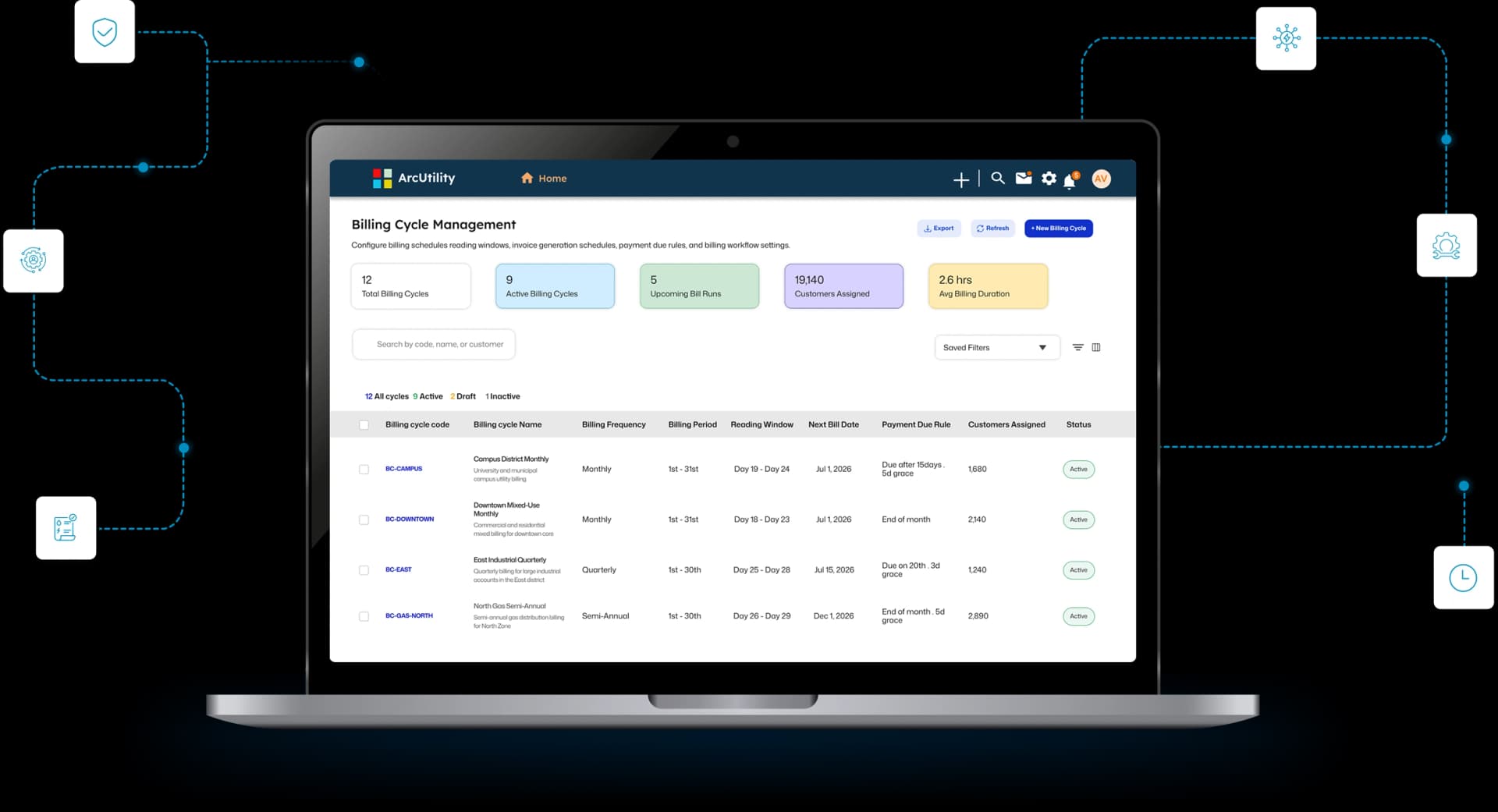
ArcUtilities billing command center on a laptop, showing meter-to-cash billing, collections, and field work in one dashboard

ArcUtilities at a glance

One billing cycle

Reading through collection, all on one platform

Field to office

Work orders, meters, and accounts share one record

Built for AMI

Ingests smart-meter interval data your billing can use

Council ready

Every figure backed by an audit trail on demand

The Approach

Most billing systems print the bill. Ours makes sure it is right first.

An old system does what it always did: it takes the reads and prints the invoices. It cannot tell you which ones are wrong. ArcUtilities checks the work as part of every cycle, so the errors that quietly cost you revenue get caught before a bill ever goes out.

Protect the revenue

Catch the money leaks before the bill goes out.

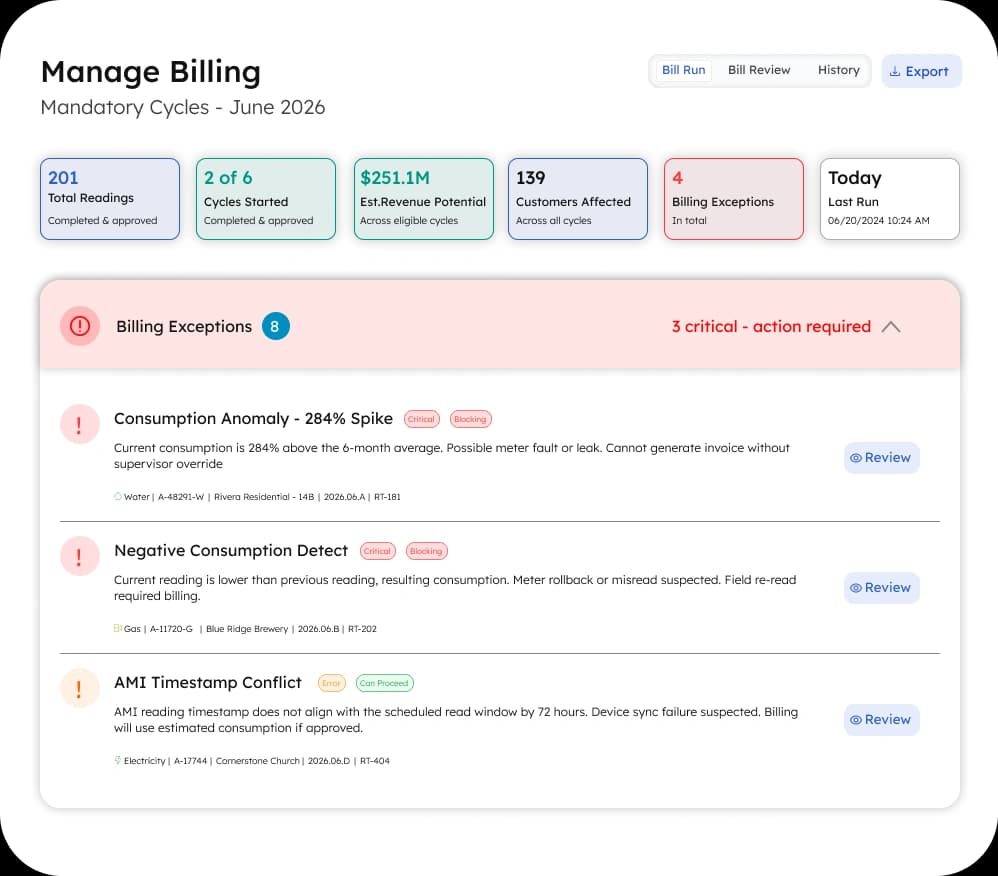
Bad estimates, worn meters, and wrong rates are the biggest source of lost revenue in a utility. ArcUtilities checks every read and every charge against history first, and holds anything that looks off for your team to review.

One billing cycle

Reading through collection, in one flow.

Reading, rating, billing, payment, and collections run as one connected cycle. Your team stops moving data between systems by hand and stops chasing the errors that creep in when they do.

Field and billing together

The operation and the billing, on one record.

You own the pipes, the meters, and the crews. Work orders, dispatch, and the asset list live with the account, so a change in the field updates billing the moment the job is done.

Numbers you can trust

The figures ready before you are asked.

Billing, collections, and field work feed one live view, every figure backed by a record. Rate studies and budget meetings pull from the same trusted data, not a spreadsheet built by hand the week before.

Core Features

Everything from the meter read to the council report, working as one system.

Scroll to move through the platform, one capability at a time.

Reading & Validation

Every read checked before a single bill runs.

Reads come in from the field or straight from smart meters and land in one place. Before the cycle runs, the system flags the ones that look wrong: an old estimate that was never corrected, a reading that jumped, a meter set up wrong, an occupied home reading zero. Your team clears that short list first.

  • Ingests smart-meter interval data legacy billing cannot read.
  • Turns a post-bill complaint into a pre-bill correction.
Read validation comparison showing flagged reads caught before billing, with work spread evenly and no month-end spike
Rating and billing view showing applied rates, overtime, and cost by team

Rating & Billing

Set your rates once, and every bill uses them.

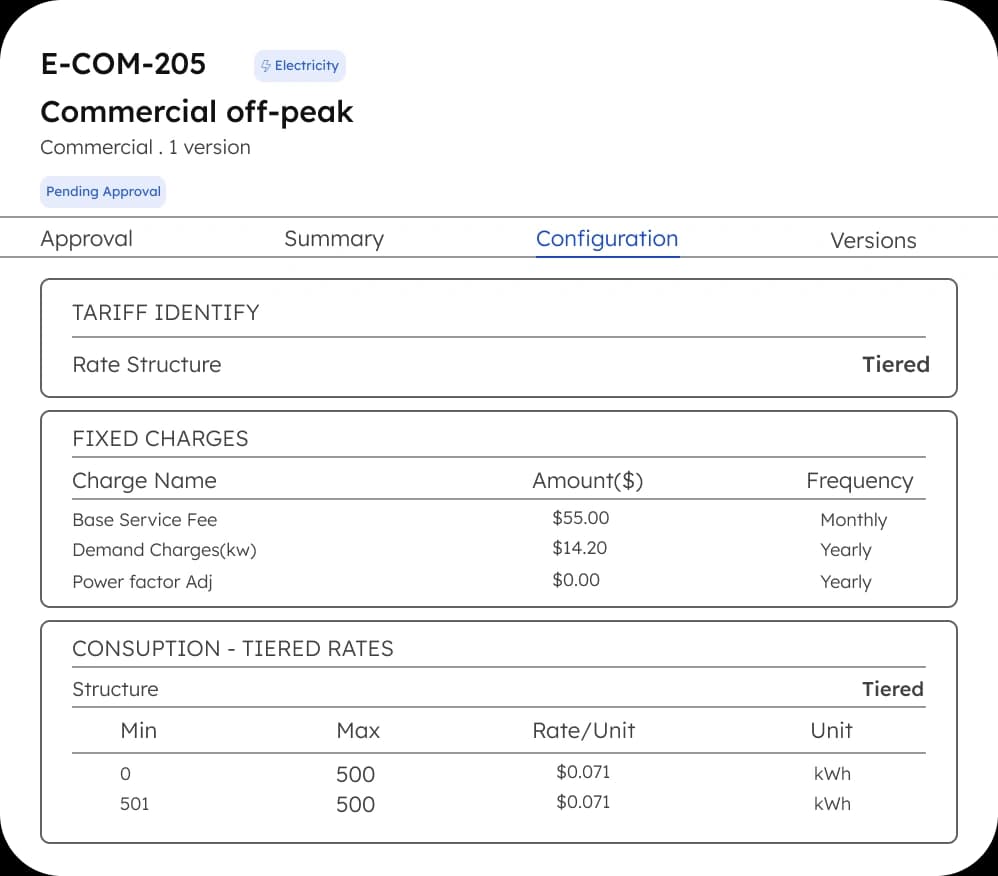
Set up your rates, including tiers and seasonal charges, one time. Every bill applies them on its own. Water, sewer, and refuse land on a single statement, and every change to a bill is logged with who approved it.

  • Multi-service billing on a single, itemized statement.
  • Keeps a record of what rate applied, and when.

Field & Work Orders

A change in the field updates the account itself.

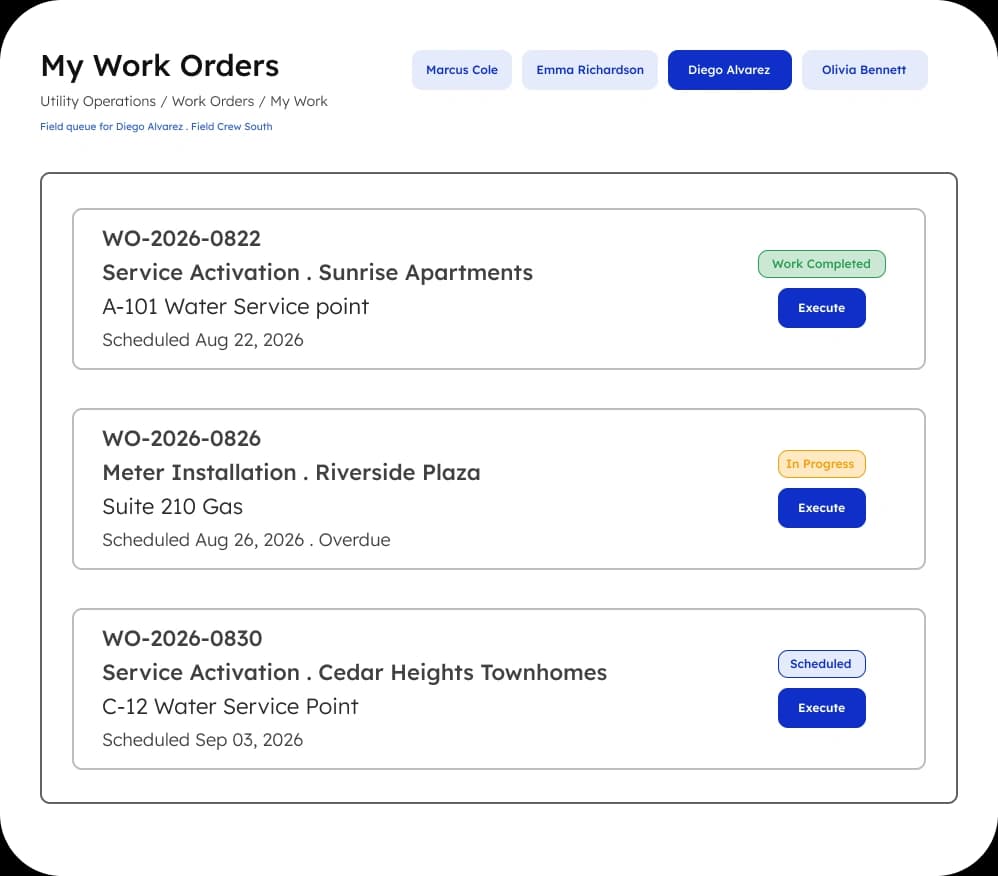
A resident request becomes a work order and goes to a technician. When the job is done, it updates the account and the asset list on its own. Meter swaps, new service, and reconnections reach billing the moment the work is closed.

  • Disconnection and reconnection stay inside the billing record.
  • The asset list keeps system knowledge out of one person's head.
Field work orders updating the account and asset list as soon as a job is closed
Payments and collections posting to one ledger across online, autopay, counter, and phone channels

Payments & Collections

Easier for residents to pay, less for you to chase.

Residents can pay online, by autopay, at the counter, or by phone, and every payment posts to the right account on its own. Reminders and late notices go out on time, and the notice rules for your state are built in.

  • Every payment channel lands in one ledger, no manual matching.
  • Notices follow your state's rules on timing and moratoriums.

Resident Self-Service

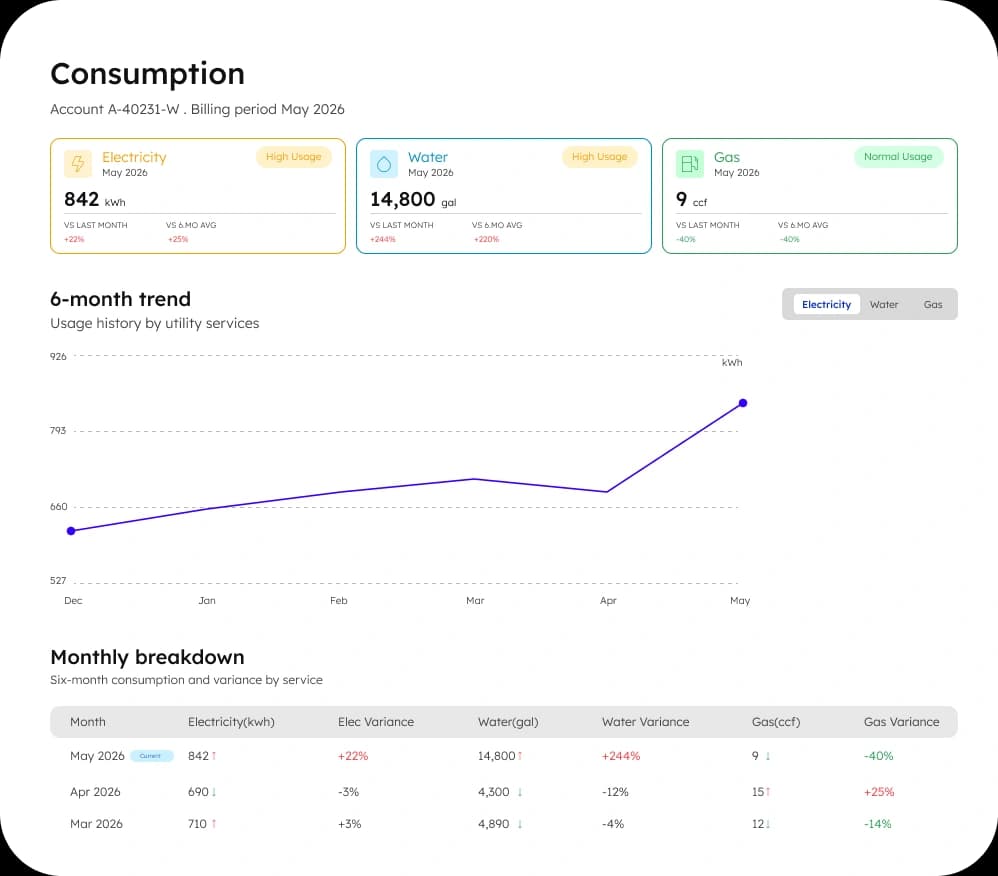
Answer "why is my bill so high" before the phone rings.

The most common call any utility office takes is a usage question. When residents can see their own use next to last year, pay, apply for service, and report a problem online, that call mostly stops. One outage notice reaches the affected streets before the phones light up.

  • Usage history and comparisons residents can read themselves.
  • Service applications and requests, no trip to city hall.
Resident self-service for usage history, payments, service applications, and outage notices
Reporting and council readiness dashboard with billed, collected, and cost figures ready for hearings

Reporting & Council Readiness

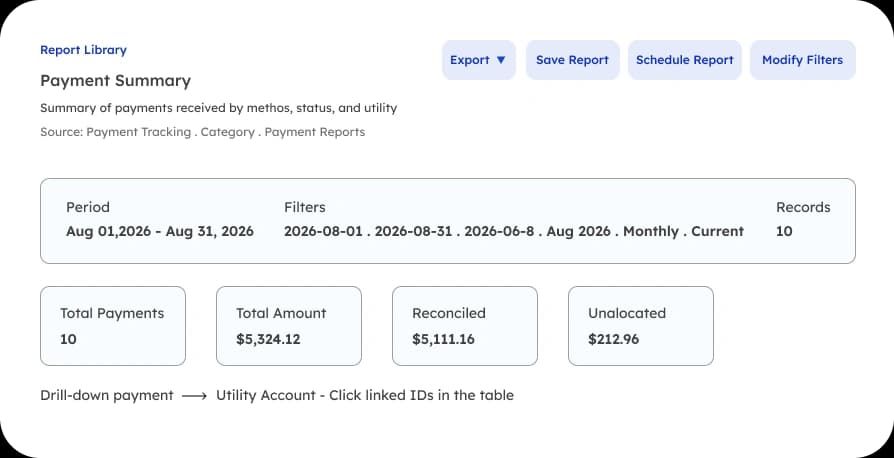
The numbers are ready when the meeting is.

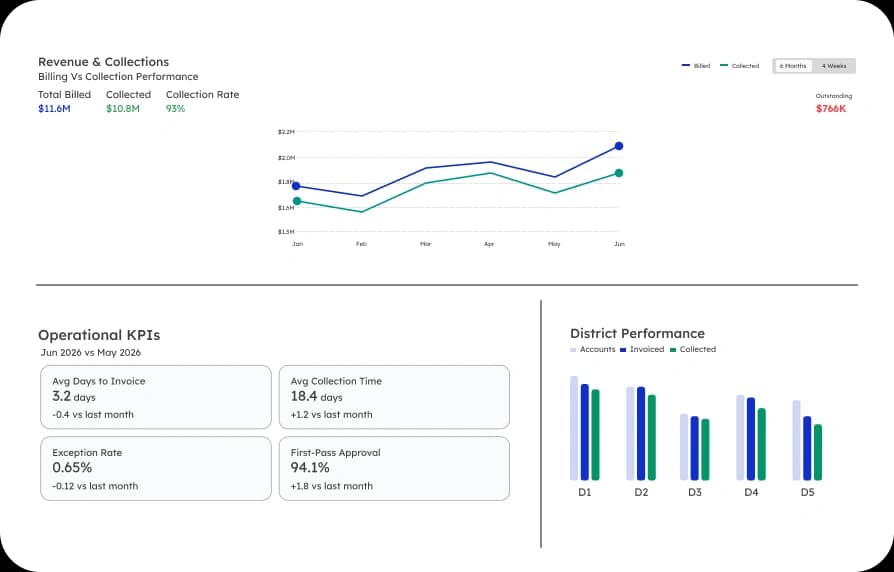
What you billed, what you collected, and where it went, each figure backed by a record. No month-end scramble to pull it together, and no consultant charging you to clean up the data first.

  • One trusted set of numbers for hearings, filings, and rate cases.
  • Every change to a bill or a rate carries a full record.

Why It Fits A Municipal Utility

You run a utility. This was built for that.

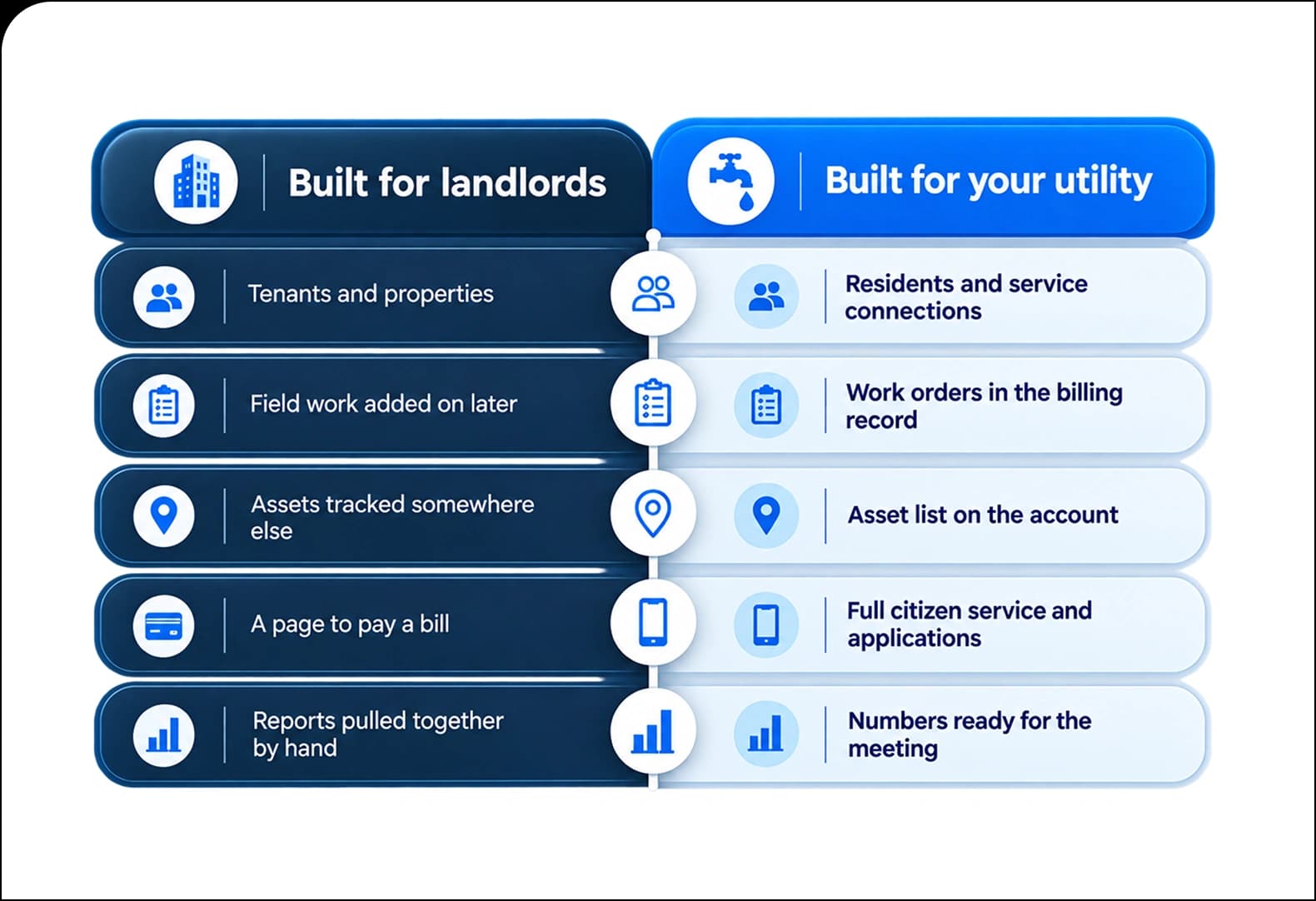
A lot of billing software started out serving landlords and apartment buildings. It thinks in tenants and properties, so the parts you actually need come last.

ArcUtilities was built for the job you do. You own the pipes, you send the crews, and you answer to the public. The field, the assets, and the residents are part of the platform, not extras.

Comparison of landlord billing software versus ArcUtilities built for municipal utilities

Onboarding

We prove it works before you rely on it.

Your billing is your cash flow, so we never ask you to switch on trust. You see it work first.

Bring your data over

Your accounts, as they are

We move your accounts, meters, rates, and balances across, and check them against your current numbers so the totals match.

Run it side by side

A real cycle, in parallel

We run a full billing cycle next to your current one. You compare the two and see the numbers line up before anything counts.

Go live when ready

On your schedule

You switch over only once you are confident, on a date that fits your billing calendar. No vendor deadline pushing you.

See it run on your own numbers.

Bring your trickiest rate or the account that never comes out right. We will show you how ArcUtilities handles it, on your data, not a demo file.