Most document delays do not start with the signature. They start earlier: a contract sitting in a folder, a packet emailed without fields, a signer who never received the right version, or a team that cannot tell whether the agreement is waiting, declined, or done.
Paper-based signing still looks familiar. Print the document, route it, wait, scan it back, and file it. That process is slow, easy to interrupt, and hard to audit. Electronic signature software is meant to replace that chain with a single workflow: prepare the document, send it to the right people, capture signatures, and keep a record of what happened.
The difference between a basic e-sign tool and a useful one is coverage. A signature box is not enough if teams still rebuild every agreement from scratch, send related files as separate emails, or lose track of who still needs to act. A complete process takes a document from the first draft to a finished, signed file without leaving the work in inboxes and shared drives.
This buying guide walks through that journey and shows how ArcSign helps businesses prepare, send, sign, and track agreements from start to finish.
Why document signing still gets stuck
Even teams that already use PDFs and email often treat signing as a separate chore. Someone drafts the file in one place, someone else adds comments in another, and the final signature arrives as an attachment with no reliable history.
Common breakdowns include:
- Rebuilding the same offer letters, NDAs, and vendor packets every time they go out
- Sending several related documents as separate requests instead of one transaction
- No clear signing order when more than one person has to approve or sign
- Missing fields, unsigned pages, or the wrong version of the file
- No simple answer to “who has this, and what is still outstanding?”
- Weak records when a customer, auditor, or manager asks what happened
Those gaps cost time. Deals wait. Onboarding waits. Vendor setup waits. The work is not the signature itself. The work is getting a complete, correct document through a defined path and knowing when it is finished.
What a complete signing workflow should include
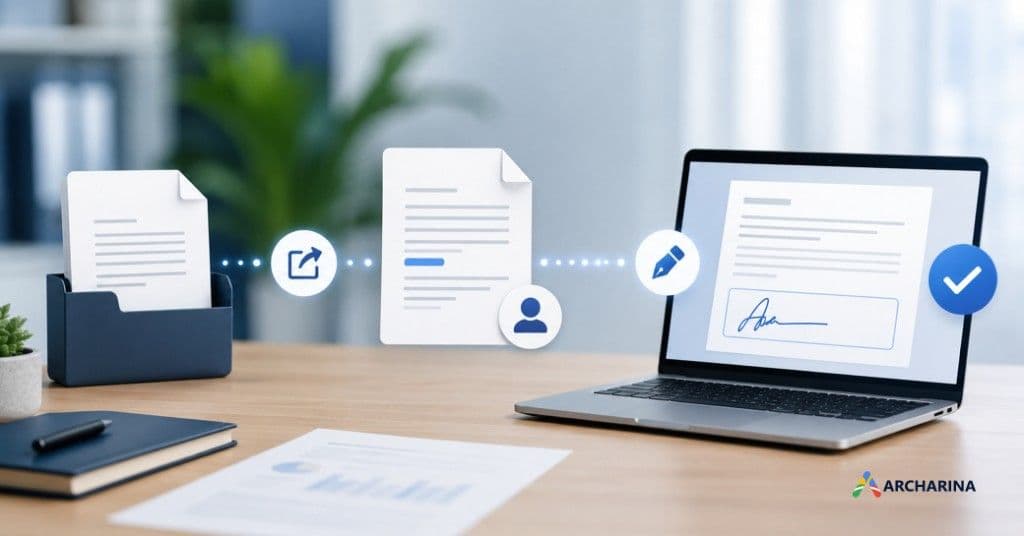
When you evaluate electronic signature software, look past the pen icon. A useful platform should cover the full path from a source document to a completed signed file: start with the source document, send it, assign the right people, capture signatures, and close the file with a clear completion state.
- Start with the document. Upload an existing file or begin from a reusable template so teams are not recreating the same agreement from a blank page.
- Prepare fields and people. Place signature, date, and text fields. Assign signers, reviewers, and internal approvers before anything leaves the team.
- Control the order. Send documents all at once or in sequence. Require an internal approval before an external signer sees the file when that is how the business actually works.
- Let people sign without extra software. Signers should complete their part from a secure link, on a laptop or phone, without printing or scanning.
- Track through completion. See who viewed the file, who signed, who still needs to act, and what was declined. Keep an audit trail with timestamps.
If a product only captures a signature and leaves the rest to email, teams will keep inventing workarounds. The buying decision should favor software that owns the whole route.
Features to look for in electronic signature software
Use this checklist when you compare tools. It is the practical filter for whether a platform can run agreements end to end, not only collect a name at the bottom of a PDF.
| Capability | Why it matters |
|---|---|
| Reusable templates | Offer letters, vendor agreements, and sales contracts go out repeatedly. Templates keep fields, signing order, and approvals consistent. |
| Multi-document transactions | A vendor packet may include a contract, NDA, W-9, and a compliance form. Signers should complete the set in one flow. |
| Signing and approval workflows | Some files need one signature. Others need a defined order, role-based access, and an internal approval before an external signer is invited. |
| Lifecycle tracking and audit trail | Teams need to see what is waiting, who still needs to sign, what is complete, and what needs a reminder, with a record behind each action. |
| Reminders and status visibility | Unsigned documents stall quietly. Automatic reminders and a status view keep the process moving without manual follow-up spreadsheets. |
| Security and access control | Documents should be encrypted in transit and at rest, with role-based permissions so only the right people can view, approve, or sign. |
How ArcSign makes document signing easier from start to finish
ArcSign is Archarina’s electronic signature software. It is built for the agreement workflow, not only the last signature. Teams prepare documents, invite stakeholders, set custom routing, and watch status through to a completed file.
Reusable templates
The same documents go out again and again. ArcSign lets you build each agreement once as a template, with signing fields, signing order, and approval steps already set. The next send starts from that template instead of a rebuilt file.
Multi-document transactions
Onboarding a vendor or closing a deal often involves more than one document. ArcSign can combine related files into one transaction so signers complete the full set in a single flow, rather than chasing four separate requests.
Signing and approval workflows
You can set who signs, in what order, and who approves first. Role-based permissions and internal routing help match the way the organization actually reviews agreements before they go outside the company.
Lifecycle tracking
The hardest operational question is usually simple: where is this stuck? ArcSign shows which documents are waiting, who still needs to sign, what has been completed, and what needs a reminder, with an audit trail behind the status.
How to choose the right e-signature software
Start with the documents you send most often and the people who have to touch them. If your process is one signer and one PDF, almost any tool will look adequate. If your process includes templates, multiple files, mixed internal and external parties, and a need to prove what happened, the product has to support that path.
Ask vendors to show:
- A template that already includes fields and a signing order
- A multi-document packet completed as one transaction
- An internal approval before an external signer is invited
- A live status view and the audit record for a completed file
- How reminders are sent when a signer has not acted
Then map those capabilities to your actual packets: sales contracts, HR offer letters, vendor onboarding, and any compliance forms that travel with them. The right platform is the one that can run those packets without a side process in email.
See the full signing workflow in ArcSign
If your team is still printing, scanning, or chasing signatures across inboxes, walk through how ArcSign handles templates, multi-document transactions, signing order, and tracking on one platform. Request a demo to see the path from the first document to a completed, signed agreement.