Predict
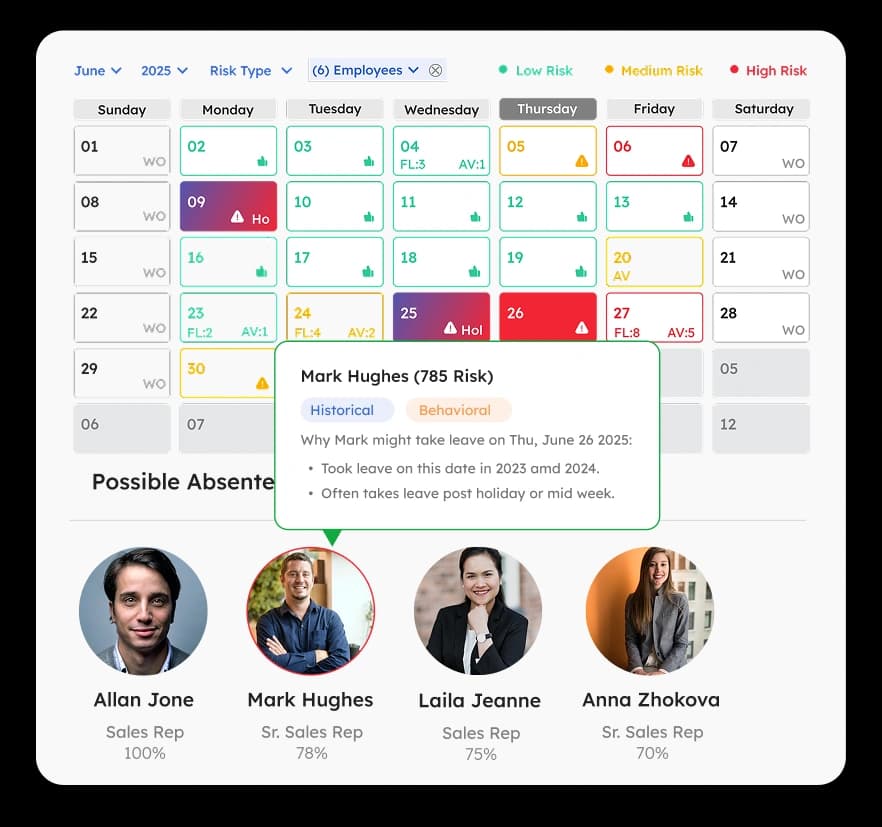
- Forecast short-staffed days based on approved leave, historical patterns, and team capacity
- See the staffing picture before requests start coming in
- Spot upcoming coverage peaks across teams and locations

ArcTime forecasts time off, prevents staffing gaps with smart rules, and flags timesheet risk before approval. One time tracking and time off platform that sees what is coming, not just what already happened.
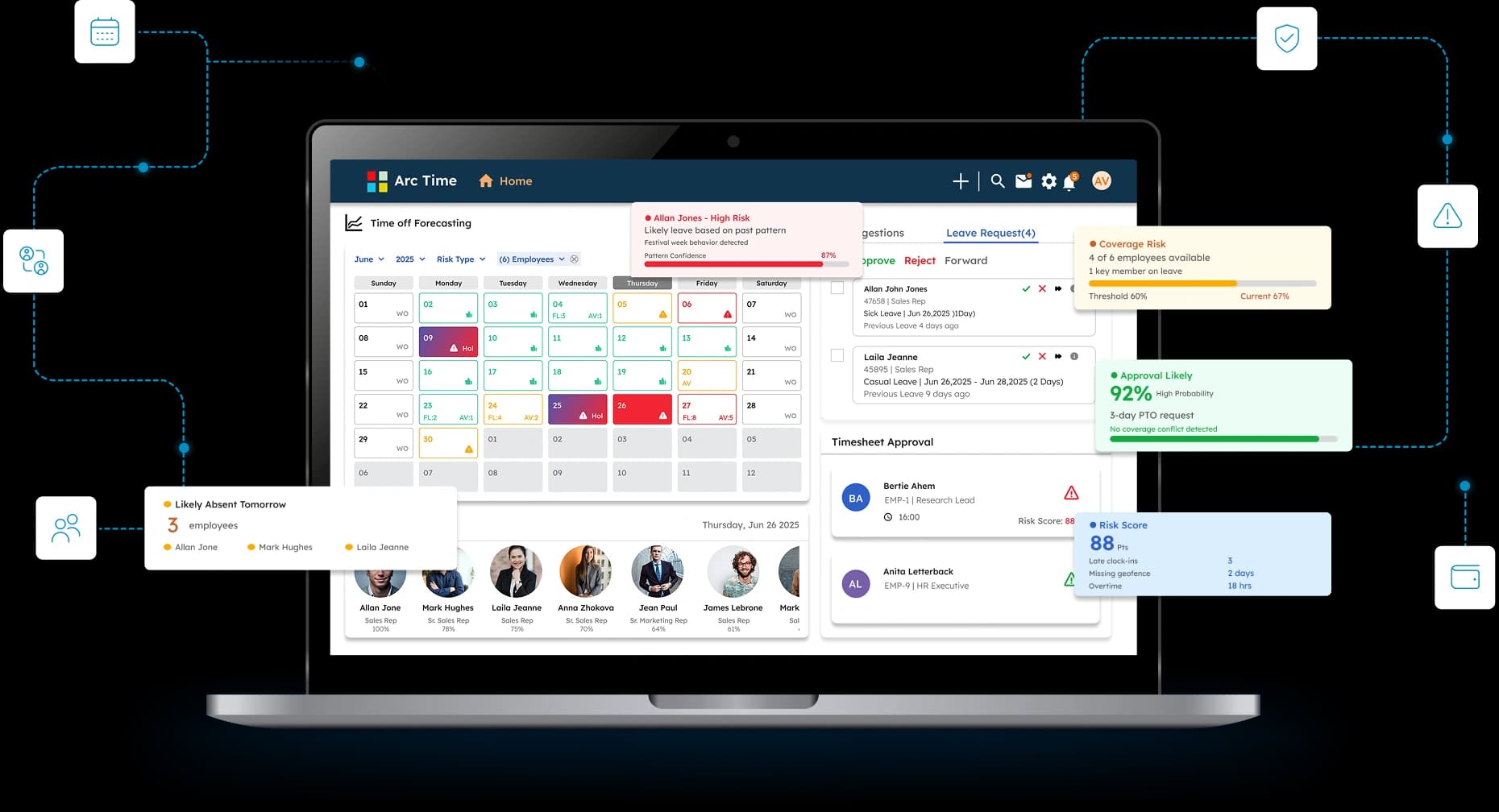
Smart Time Off
Without visibility into coverage, staffing gaps often go unnoticed until it's too late. ArcTime helps managers plan ahead with a shared view of availability, shift coverage, and potential conflicts before approvals are finalized.
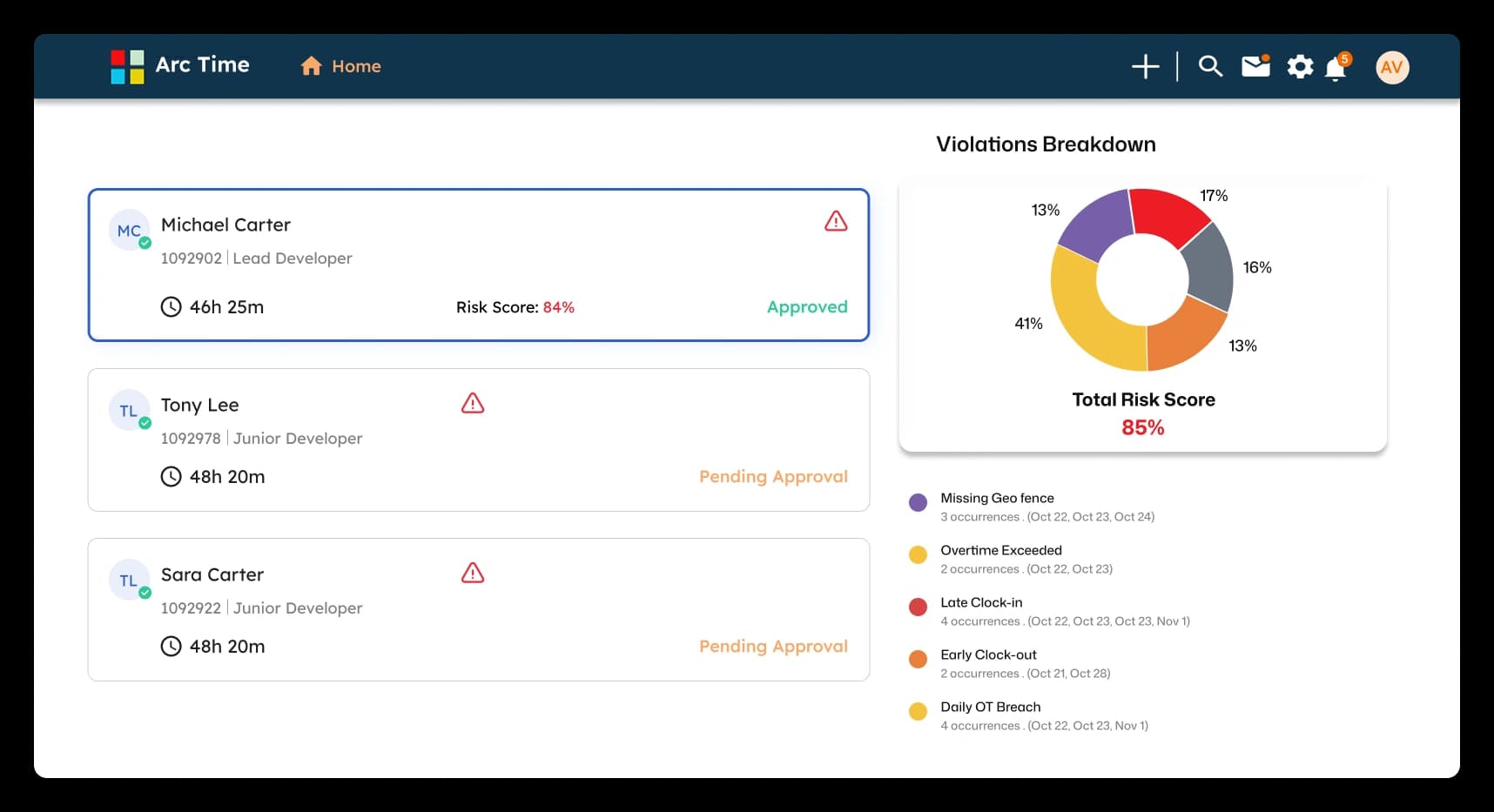
Timesheet Approval
Every timesheet carries a risk score built from the exceptions inside it. Late punches, geofence violations, missed breaks, rounding issues each contribute weighted points. Managers see the score, the contributing factors, and the recommended action in one view, so approval becomes a confident decision rather than a guess.
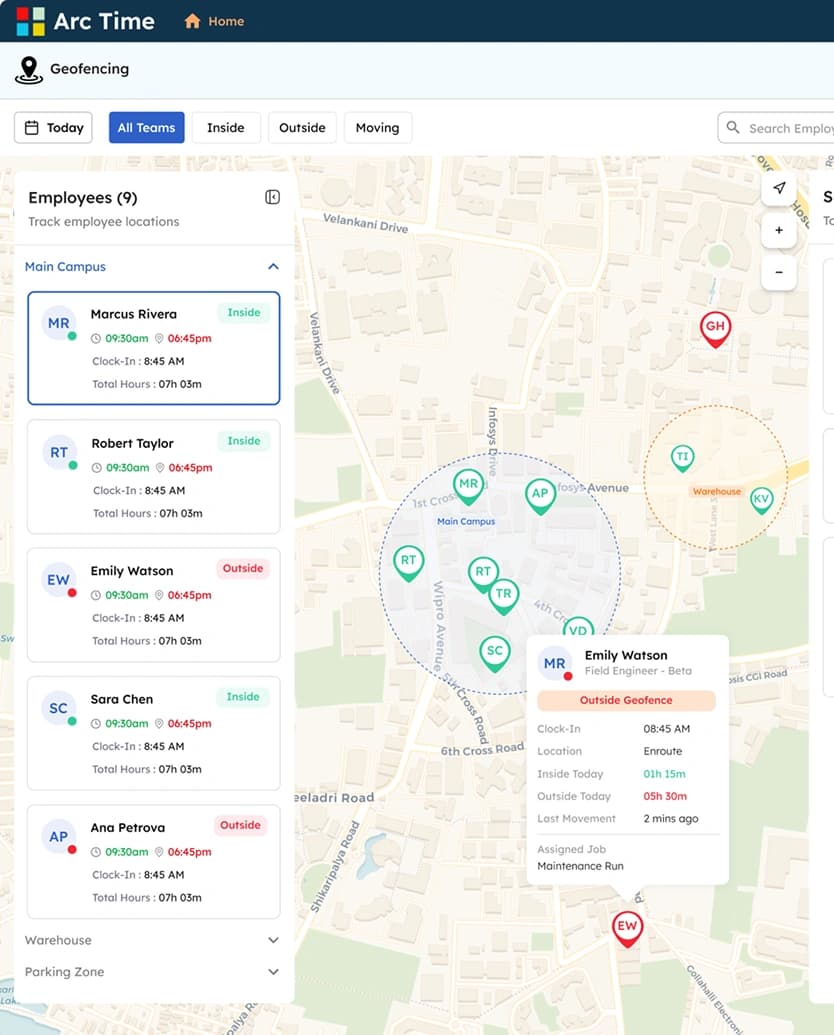
Trusted Attendance
Every clock-in is verified against location, identity, and approved network. Geofencing, photo capture, biometric authentication, and IP restriction work together to eliminate buddy punching, location fraud, and unauthorized check-ins at the source.
GPS location capture combined with a live photo verification at the moment of punch. Built for field teams, route drivers, and distributed workforces where the employee is not at a fixed site.
Shared device at a fixed location with each employee using a personal PIN. Standard for warehouse floors, manufacturing shifts, and high-volume sites where individual devices are not practical.
Fingerprint or facial recognition tied directly to the employee record. The strongest defense against buddy punching, used where compliance and audit standards demand verified identity at every punch.
Browser-based punch limited to approved office network IP ranges. Designed for office, hybrid, and remote teams where the punch needs to come from a sanctioned environment.
Payroll-Ready Output
Approved timesheets carry validated hours, applied shift rules, calculated overtime, and premium pay logic. The data is payroll-ready the moment it's approved. No spreadsheet exports, no reconciliation rounds between systems, no last-minute corrections to chase down. Export directly into ArcPayroll or to any payroll system
Step 01
Step 02
Locked
Ready for any payroll system
Field-Ready Capture
Teams, drivers, warehouse staff, and distributed employees do not always clock in from a fixed place. ArcTime checks every punch against approved job site route stops, warehouses, or customer locations. Valid punches move forward automatically. Out-of-boundary punches are flagged before they create payroll confusion.
Payroll-Ready Output
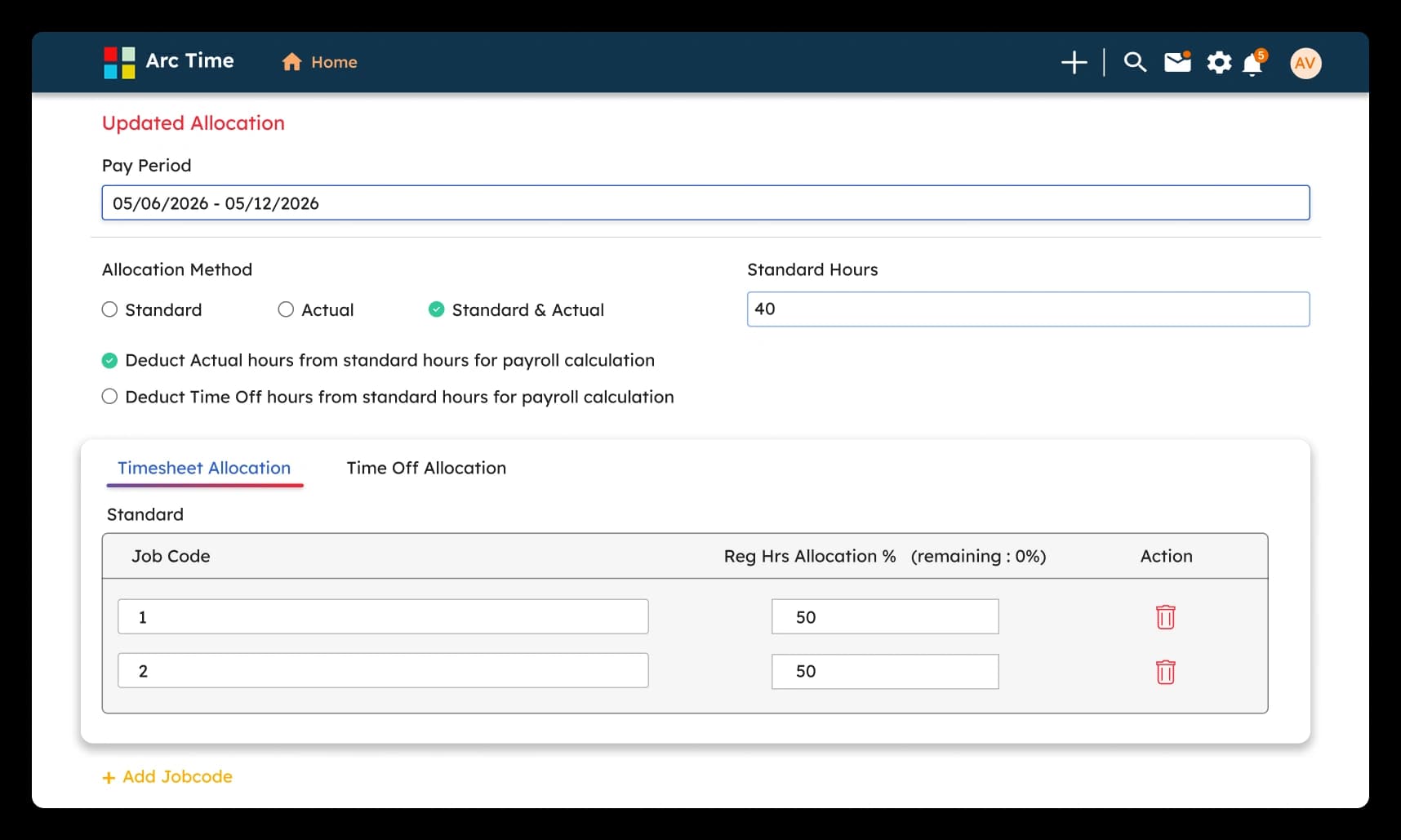
ArcTime automatically assigns worked hours, time off, and premium pay to the correct departments, job codes, cost centers, or ledger categories. Set rules once for holidays, overtime, weekend shifts, and night differentials, and ArcTime applies the correct rates and allocations every payroll cycle
Industries We Serve
Twenty seconds to see how time off forecasting, risk scoring, and payroll handoff work together on one platform.